
How can I change my email?
If you need to update your login credentials, you can easily change your registered email address directly through settings.
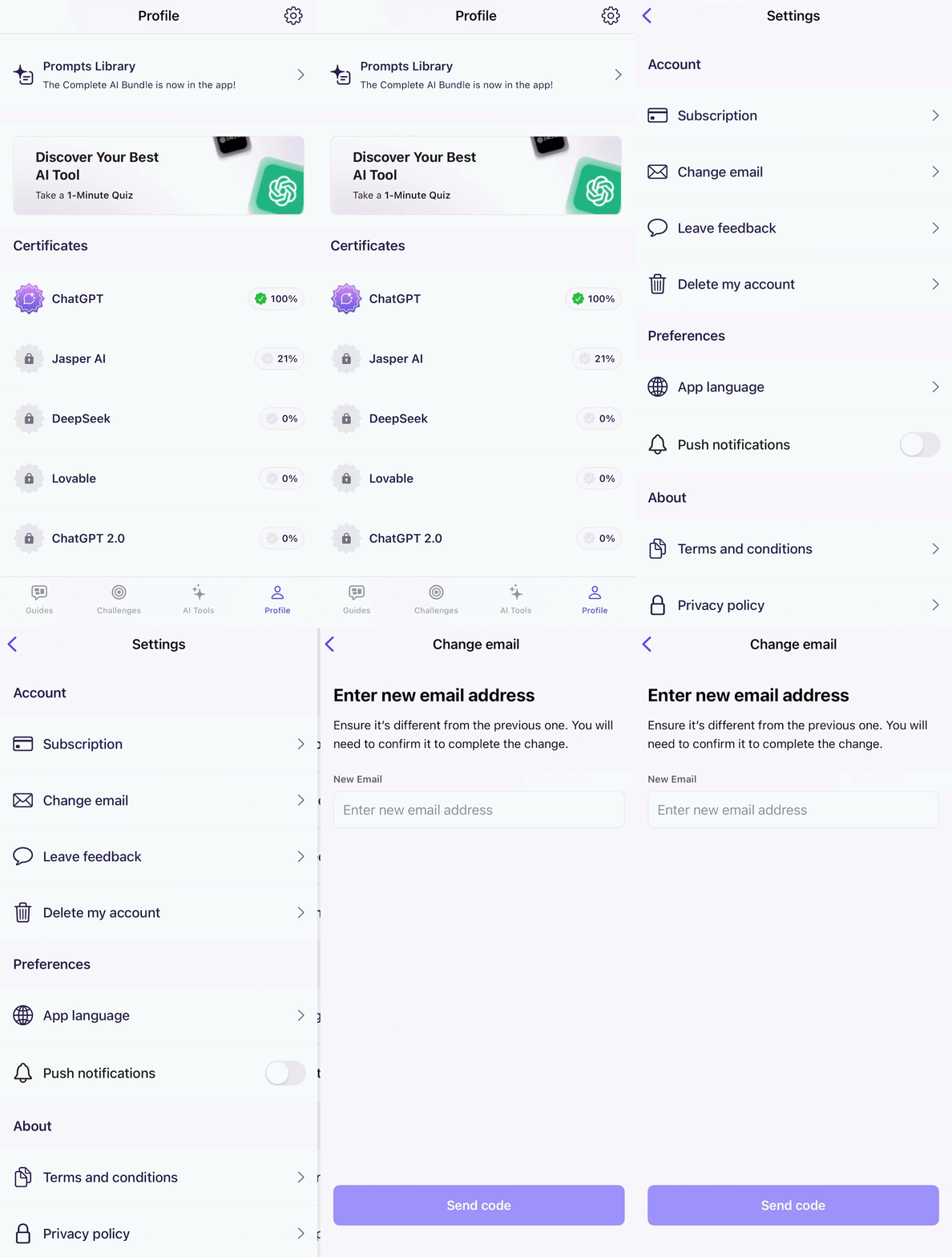
Steps to Update Your Email:
Tap on the Profile
Select Settings
Select Change Email
Enter New email
Save changes
Confirmation of Change
Once you have completed these steps, a confirmation message saying “Email address updated” will appear on your screen. This indicates that your new credentials are now active.
Note: If you subscribed through a third-party service (like Apple or Google), ensure your new email is one you have active access to for future recovery or receipt purposes.
Need further clarification?
If you have any further questions regarding our services or security, please reach out to us at support@mextalearn.com or visit our Support Center.
Still need help?
Our team replies at support@mextalearn.com